
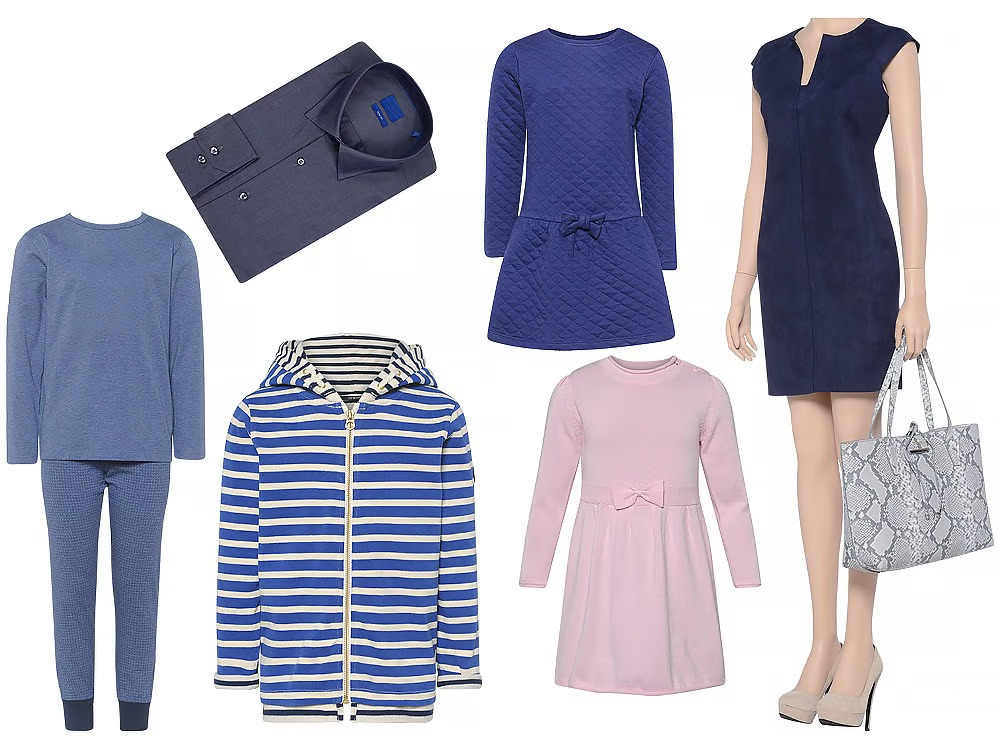
If you sell online, your product photos do more than make your store look nice. They help shoppers decide whether to click, trust, and buy. That is why investing in an ecommerce photo editing service and following a strong image workflow can make a real difference for your business.
The old idea of “taking better photos” is too broad for ecommerce brands. What online stores really need is a system for creating clean, consistent, conversion-focused product images that work on Amazon, Shopify, Etsy, Walmart, and brand websites. In this guide, you’ll learn 10 practical ways to improve your product images so they look more professional and help support more sales.
Whether you manage a growing Shopify store, list products on Amazon, or handle catalog images for clients, these tips will help you create more polished, marketplace-ready photos.
Why Product Photos Matter More in Ecommerce
In a physical store, customers can touch a product, inspect the material, and compare options in person. In ecommerce, your images have to do all that work for you.
Strong product images help shoppers:
- understand what they are buying
- see size, shape, texture, and features
- trust your brand
- compare variations more easily
- feel confident enough to complete a purchase
Weak photos do the opposite. Poor lighting, messy backgrounds, inconsistent angles, or inaccurate colors can lower trust and increase returns.
That is why better photography plus smart product photo editing is not just a design upgrade. It is part of your sales strategy.
What Makes an Ecommerce Product Image Effective?
Before getting into the tips, it helps to know what “good” looks like for ecommerce product images.
High-performing product photos are usually:
- clean and distraction-free
- consistent across the full catalog
- color-accurate
- properly cropped and aligned
- optimized for marketplace requirements
- detailed enough to answer buyer questions
- retouched naturally, not excessively
Now let’s look at the most effective ways to improve them.
1. Use Clean, Distraction-Free Backgrounds
One of the fastest ways to improve ecommerce images is to remove background distractions. Online shoppers should focus on the product, not on props, shadows, wrinkles, clutter, or inconsistent studio setups.
For many stores, a clean white background works best because it looks professional and meets marketplace requirements. This is especially important for Amazon listings, where main images often need a pure white background.
A professional background removal service helps create:
- cleaner product presentation
- more consistent listings
- easier catalog management
- a polished marketplace-ready look
This is also useful when your team shoots in different locations or lighting conditions and needs all images to look uniform.
2. Keep Lighting Consistent Across Your Catalog
In ecommerce, consistency matters almost as much as quality. One bright, clean product photo next to three dark or yellow-toned photos makes your store look unorganized.
Consistent lighting helps customers compare products and creates a stronger brand experience. Even if your original photography varies, editing can help bring the catalog back into alignment.
Focus on:
- even exposure
- natural shadows
- controlled highlights
- consistent brightness from image to image
For growing stores with large inventories, this is where image editing for ecommerce becomes essential. Instead of reshooting everything, you can correct lighting issues in post-production and maintain a cleaner, more unified catalog.
3. Prioritize Accurate Color Correction
Color accuracy is one of the biggest trust factors in online shopping. If the image shows navy but the product arrives looking black, you may get complaints, poor reviews, or returns.
That is why color correction for product photos is so important. The goal is not to make the product look more dramatic than it is. The goal is to make it look true to life while still appearing clear and appealing on screen.
This matters even more for:
- apparel
- cosmetics
- furniture
- home decor
- accessories
- printed goods
A strong editing workflow should help ensure that reds, whites, skin tones, metals, and fabrics all look accurate and consistent across devices as much as possible.
4. Use Better Framing and Cropping
Many ecommerce photos lose impact because the product is too small, off-center, unevenly cropped, or surrounded by unnecessary empty space.
Good framing helps the product look more premium and easier to scan. It also creates a cleaner visual layout across collection pages, category pages, and product grids.
To improve framing:
- center the subject consistently
- keep similar products aligned the same way
- crop close enough to show details
- leave enough room so the product does not feel cramped
- match image dimensions across product types
Well-cropped ecommerce product images make your storefront look more professional and easier to browse.
5. Show Important Angles and Detail Shots
One image is rarely enough in ecommerce. Buyers want reassurance. They want to see the front, back, side, texture, material, packaging, features, and scale.
A better image set often leads to better conversion because it reduces uncertainty.
Useful image types include:
- main hero image
- front and back view
- side angle
- close-up of important details
- texture or material shot
- packaging shot
- lifestyle image for context
This approach is especially helpful for fashion, beauty, electronics, and home products. When you pair strong photography with product photo retouching, those supporting images become much more valuable.
6. Retouch Carefully Without Making the Product Look Fake
Retouching is important, but over-editing can hurt trust. Ecommerce shoppers want products to look polished, not misleading.
Good retouching should:
- remove dust, scratches, and small distractions
- clean up edges
- smooth wrinkles where needed
- improve symmetry
- refine shadows and highlights
- keep the product realistic
Bad retouching often includes:
- oversaturated colors
- plastic-looking textures
- unrealistic shape changes
- too much sharpening
- altered product details that create false expectations
The best product photo editing makes the image feel cleaner and more professional while keeping the actual product honest.
7. Standardize Image Size, Angle, and Catalog Presentation
As your product line grows, image inconsistency becomes more noticeable. Different crop ratios, camera heights, product positions, and shadow styles make the store feel less trustworthy.
A standardized workflow creates visual order across your store and marketplaces.
Try to standardize:
- aspect ratio
- canvas size
- product alignment
- zoom level
- angle style
- background style
- shadow treatment
This matters a lot for stores with many SKUs, collections, or variants. Consistency improves both design and usability.
For brands that want a cleaner workflow, outsourcing to an ecommerce photo editing service can save time while maintaining catalog-wide consistency.
8. Use Ghost Mannequin or Shape Correction for Apparel
Fashion and apparel stores have special image needs. Flat clothing can look lifeless, while visible mannequins can distract from the product.
That is where ghost mannequin service becomes valuable. It gives clothing shape and structure without showing the mannequin itself, creating a clean, professional apparel presentation.
Ghost mannequin editing works well for:
- shirts
- jackets
- dresses
- tops
- uniforms
- kidswear
- fashion collections
Combined with wrinkle cleanup, alignment correction, and color balancing, this technique makes apparel images look more premium and more suitable for ecommerce.
9. Optimize Images for Amazon, Shopify, and Other Platforms
Each ecommerce platform has its own expectations. A beautiful photo is not enough if it does not fit technical or marketplace requirements.
For example:
- Amazon often requires white backgrounds for main images
- Shopify stores need fast-loading but high-quality images
- marketplaces may have image dimension or cropping rules
- category pages need consistent thumbnails for better browsing
Your image workflow should balance:
- visual quality
- file size
- platform rules
- customer experience
This is why many brands look for Amazon product photo editing and Shopify product image editing specifically, rather than generic photo editing.
10. Know When to Use Professional Editing Support
Many ecommerce teams start by editing images in-house. That can work at a small scale. But as orders, SKUs, and marketplaces grow, image editing becomes time-consuming and harder to standardize.
A professional editing partner is helpful when you need:
- fast turnaround
- catalog consistency
- bulk image handling
- cleaner clipping paths
- better retouching quality
- reliable color correction
- support for Amazon or Shopify-ready formatting
An experienced ecommerce photo editing service can help you scale image production without sacrificing quality. That is especially useful for product launches, seasonal updates, supplier image cleanup, and high-volume stores.
For businesses that want consistent, quality-checked editing with a secure workflow, outsourcing often becomes more efficient than trying to manage every image internally.
Common Ecommerce Product Photo Mistakes to Avoid
Even good products can underperform if the imagery creates friction. Here are some common mistakes that hurt ecommerce performance:
Inconsistent backgrounds
A mix of gray, white, textured, and lifestyle backgrounds can make the catalog look disorganized.
Poor edge cleanup
Messy cutouts and rough clipping paths make product images look amateur.
Wrong colors
Inaccurate colors damage trust and can increase returns.
Uneven image dimensions
Products look misaligned in collection pages and product grids.
Over-editing
Heavy smoothing, fake shadows, or unrealistic product shapes can mislead buyers.
Not enough detail shots
Customers may leave the page because they still have unanswered visual questions.
In-House vs Outsourced Editing: Which Is Better?
There is no single answer for every business. The best choice depends on your catalog size, internal resources, and quality needs.
In-house editing may work if:
- you have a small product range
- your team has editing skills
- you do not upload products frequently
- quality consistency is easy to manage
Outsourced editing may be better if:
- you handle large batches of images
- you sell on multiple marketplaces
- your team needs faster turnaround
- you want consistent editing across the entire store
- you need services like clipping path, retouching, color correction, or ghost mannequin
For many ecommerce brands, the winning setup is a mix of both: simple edits in-house and specialized or bulk work outsourced.
Final Thoughts: Better Product Images Help You Sell Better
Improving your product photos is not just about making them prettier. It is about making them clearer, more trustworthy, and more effective for ecommerce.
If you want stronger listings, a cleaner storefront, and more consistent brand presentation, focus on the fundamentals:
- clean backgrounds
- accurate colors
- natural retouching
- consistent catalog presentation
- platform-ready formatting
- detail-rich product views
And when the workload grows, a professional ecommerce photo editing service can help you scale without lowering quality.
At Photo Fix Team, we help ecommerce brands and photographers create polished, marketplace-ready product images with fast turnaround, secure workflow, and quality checks on every order. From background removal and color correction to product retouching and ghost mannequin editing, we support businesses that want images built for Amazon, Shopify, and modern online stores.
Frequently Asked Questions
Find answers to commonly asked questions about our products and services.