Selling on eBay in 2026 is more competitive than ever, and your product images are the first thing buyers judge before reading a single word of your listing. Meeting the latest eBay product photo requirements is no longer optional — it directly affects your search ranking, conversion rate, and account health. Whether you sell electronics, apparel, collectibles, or handmade goods, this complete seller’s checklist will walk you through every rule, dimension, and best practice you need to follow this year.
At Photo Fix Team, we edit thousands of eBay listing images every month, so we know exactly what passes review and what gets flagged. Let’s break it down.
Why eBay Product Photo Requirements Matter in 2026
eBay’s algorithm, Cassini, rewards listings with high-quality, compliant images. Poor photos hurt your visibility, while clean, sharp images push your products to the top of search results. In 2026, eBay has tightened its image policy to fight clutter, watermarks, and misleading visuals.
If your photos don’t meet eBay’s standards, your listing may be hidden from search, demoted, or removed entirely. Sellers who follow the rules consistently see better click-through rates and fewer returns.
eBay’s Official Image Size and Resolution Rules
The first part of the eBay product photo requirements checklist is technical specifications. eBay enforces strict size minimums to ensure buyers get a clear view on mobile and desktop.
- Minimum size: 500 pixels on the longest side
- Recommended size: 1600 pixels on the longest side for the zoom feature
- Maximum file size: 12 MB per image
- Accepted formats: JPEG, PNG, BMP, GIF, TIFF, HEIC, and WEBP
- Aspect ratio: Square (1:1) works best for grid display
Images smaller than 500 pixels will be rejected at upload. To activate eBay’s zoom and enlarge feature, your image must be at least 800 pixels on the longest side, but 1600 pixels delivers the sharpest experience.
Background, Lighting, and Composition Standards
eBay strongly prefers a clean white background for most categories. A pure white backdrop (RGB 255,255,255) helps your product stand out and looks professional across all devices.
Lighting must be even, with no harsh shadows, glare, or color casts. Use soft, diffused light to show true product colors. Composition should center the product so it fills 80% to 90% of the frame without touching the edges.
If you’re struggling to achieve a clean look in-house, a professional background removal service can deliver consistent results across hundreds of listings.
What eBay Prohibits in Product Photos
eBay rejects images that contain certain elements. Avoid these to keep your listings live:
- Watermarks, logos, or text overlays on the main image
- Borders, frames, or decorative graphics
- Placeholder images such as “photo coming soon”
- Stock photos for used items
- Images with promotional text like “free shipping” or “sale”
- Inappropriate or offensive content
- Photos taken from a competitor’s listing
Violating these rules can lead to listing removal and seller warnings. Repeated violations may suspend your account.
Main Image vs Gallery Image Requirements
Your main image is the hero shot buyers see in search results. It must show the entire product on a plain background with no props or models for most categories.
Gallery images give you more freedom. You can include lifestyle shots, close-ups of details, packaging, accessories, and size comparisons. eBay allows up to 24 images per listing in most categories — use every slot to answer buyer questions visually.
A smart gallery sequence looks like this: main white-background shot, angled view, top view, close-up of detail, scale reference, packaging, and lifestyle context.
Category-Specific Photo Rules
Different categories have different expectations. Here are the most common:
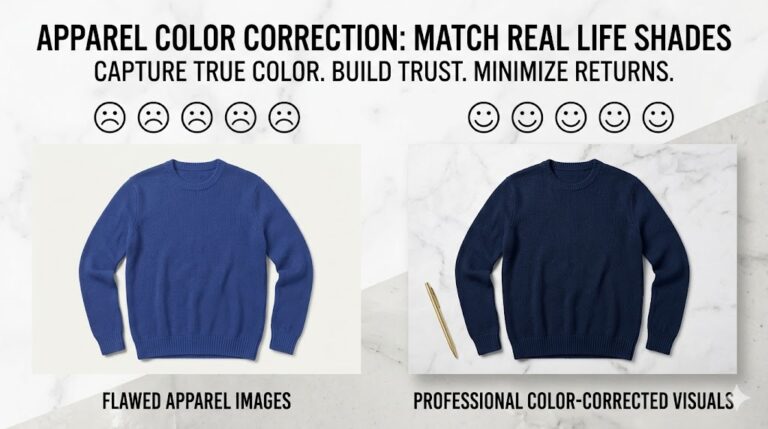
Clothing and Apparel: Ghost mannequin or flat lay photos work best. Show front, back, sleeves, fabric texture, and any tags. Color accuracy is critical to reduce returns.
Electronics: Show all ports, cables, accessories, and the serial number area (blurred for privacy). Buyers want proof the item is complete.
Jewelry: Use macro shots to highlight stones, clasps, and hallmarks. A neutral gray or white background prevents color distortion.
Collectibles and Trading Cards: Photograph the actual item, not a stock image. Show condition flaws clearly to build trust.
Automotive Parts: Include part numbers, compatibility labels, and condition photos for used items.
Mobile Optimization for eBay Listings
Over 70% of eBay buyers shop on mobile in 2026. Your images must look perfect on small screens. Test your photos on a phone before publishing.
Square crops display best in mobile grids. Avoid tiny text or fine details that disappear on small screens. Compress your files smartly — large images slow down page load and hurt your ranking.
Common Mistakes Sellers Make
Even experienced sellers slip up. The most common mistakes we see at Photo Fix Team include:
- Uploading low-resolution phone shots without editing
- Forgetting to crop excess background space
- Using yellow or blue-tinted lighting that distorts color
- Skipping the back, side, and bottom views
- Adding text or logos that violate policy
- Reusing the same image across multiple listings
Fixing these issues is quick with the right editing workflow.
How Professional Editing Boosts eBay Sales
Polished images convert better. A well-edited photo with crisp edges, true colors, and a clean background can lift your conversion rate by 20% or more. Professional retouching also reduces returns because buyers know exactly what they’re getting.
Photo Fix Team specializes in eBay listing photo editing, including background removal, color correction, shadow creation, ghost mannequin effects, and bulk batch editing. Our turnaround is fast, our pricing is per-image, and every photo is checked against the latest eBay policy.
eBay Product Photo Checklist: Quick Reference
Before you hit publish, run through this final checklist:
- Image is at least 1600 pixels on the longest side
- Background is pure white or category-appropriate
- Product fills 80% to 90% of the frame
- No watermarks, text, borders, or logos
- Lighting is even with accurate colors
- All angles, details, and flaws are visible
- File size is under 12 MB
- Format is JPEG or PNG
- Mobile preview looks sharp and clear
- Gallery uses at least 6 to 12 images
If every box is ticked, your listing is ready to compete.
Final Thoughts
Following the eBay product photo requirements in 2026 is the simplest way to win more buyers without spending more on ads. Clean, compliant, high-resolution images build trust, improve ranking, and reduce returns. Treat your photos as your number one sales tool — because that’s exactly what they are.
Need help meeting these standards across your entire catalog? Photo Fix Team offers professional ecommerce photo editing services built specifically for eBay sellers. Send us your raw images and we’ll deliver listing-ready files that pass eBay’s review every time.
🚀 Ready to Grow Your eCommerce Business with Professional Clipping Path Services?
Photo Fix Team delivers fast, precise, and affordable clipping path services for eCommerce businesses of all sizes — background removal, white background compliance, ghost mannequin, shadow effects, color correction, and bulk catalog editing with guaranteed quality.
Get a Free Quote Today →