
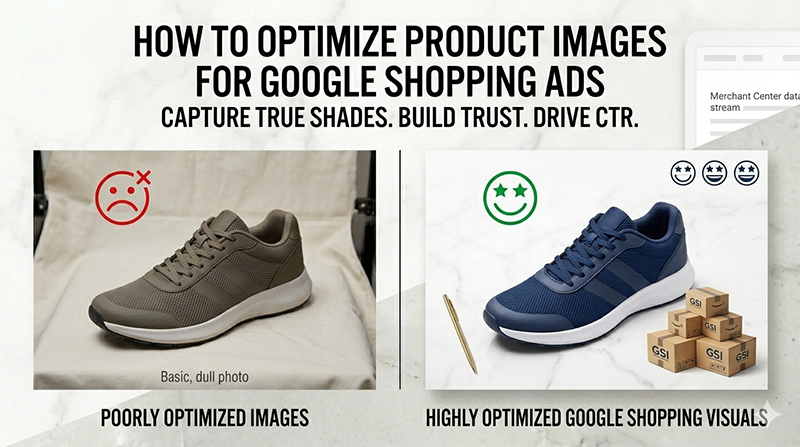
Google Shopping campaigns live and die by their visuals. Unlike standard text ads where persuasive copywriting drives performance, Shopping ads rely almost entirely on a single image thumbnail to capture attention in the search engine results pages (SERPs). If your product photography fails to stand out instantly, your digital advertising spend goes to waste.
To dominate a highly competitive digital marketplace, brand owners must optimize product images for Google Shopping according to strict compliance metrics and performance optimization rules. A poorly optimized visual asset does more than just lower your click-through rate (CTR); it can trigger immediate Google Merchant Center account suspensions, rendering your entire product feed inactive.
Conversely, a meticulously formatted, high-contrast, color-accurate image catalog can lower your Cost Per Click (CPC), elevate your Quality Score, and significantly drive down product return rates. This comprehensive, step-by-step technical guide covers everything required to keep your product data feed compliant, scalable, and highly profitable.
1. Core Requirements to Optimize Product Images for Google Shopping Ads
Google enforces rigid technical benchmarks for every image asset submitted via your data feed attributes (image_link and additional_image_link). Failing to meet these foundational baselines means your items will face automatic system disapproval. Before diving into conversion tactics, ensure your media pipeline hits these exact parameters outlined in the official Google Product Data Specification.
File Formats and Compression Rules
Your source files must load instantaneously while maintaining exceptional crispness across desktop monitors, mobile displays, and tablet interfaces. Utilizing modern formats like WebP can dramatically cut file size weights down without degrading the visual integrity of fine details. However, standard compressed JPEG profiles remain an industry benchmark for cross-platform data synchronization.
Pixel Dimensions and Framing Accuracy
While Google’s automated crawlers accept low-resolution thumbnails down to 100 x 100 pixels, publishing minimal resolutions is a recipe for ad failure. To ensure your images display perfectly across all responsive layouts, you should review Google’s direct Image Link Attribute Guide, which details the exact framing and cropping rules required to clear automated system checks.
If a buyer hovers their mouse over your ad to inspect craftsmanship, a small source file will immediately pixelate. Exporting your master assets as a clean 1500 x 1500 pixel square guarantees that every thread, metal grain, or text label remains completely visible.
Furthermore, proper margin padding protects your assets from looking cramped or clipping during responsive scaling. Keep your item perfectly centered with adequate negative space distributed around all four edges so the background removal feels completely natural.
2. Strict Formatting Rules to Prevent Instant Ad Disapproval
Google utilizes advanced computer-vision algorithms to programmatically scan your incoming feed data for graphic policy violations. Minor creative adjustments that perform exceptionally well on social media platforms like Instagram or TikTok will completely stall your paid Google ad campaigns.
Eradicate Promotional Overlays, Badges, and Text
Never include marketing text, sales badges, or graphic icons directly on your primary product photograph. This includes everyday e-commerce callouts such as:
- “50% OFF” or “Black Friday Sale” banners.
- “Free Shipping” delivery trucks or shipping badges.
- “Best Seller” or “Award Winning” stamps.
- Corporate watermarks, copyright symbols, or photographer signatures.
The main thumbnail slot must display only the exact physical item the consumer will uncover when opening their package. Save your discount copy, promotional timelines, and branding assertions for your product title text, structured meta descriptions, and merchant promotion extensions.
Master the Pure White Background Standard
For your primary ad asset, Google strongly mandates a solid, completely neutral canvas. Use a pure white background hex code (#FFFFFF) to ensure your item stands out cleanly inside the isolated shopping grid boxes.
Off-white shades, studio drop-cloth grays, shadow gradients, or colored backdrops disrupt the uniform appearance of the search engine interface. As reported in recent platform updates on Search Engine Roundtable, Google continues to tighten its automated image matching to ensure compliance. Eliminating background clutter focuses the viewer’s undivided attention entirely on the item’s physical characteristics.
Avoid Distracting Placeholder Graphics and Generic Graphics
If an item is temporarily backordered, out of stock, or a new release variant lacks a final photo asset, never publish a placeholder graphic reading “Image Coming Soon” or use a generic corporate logo. Google’s algorithmic filter will flag the asset as non-compliant almost instantly. If you lack a high-resolution photo of a specific product variant, omit that SKU from your active advertising data feed until a clean asset is edited and uploaded.
3. Advanced Strategies to Optimize Product Images for Google Shopping and Lower CPC
Meeting baseline platform specifications merely keeps your advertisements running. To outperform legacy competitors, capture clicks from premium buyers, and lower your average Cost Per Click (CPC), you must implement strategic conversion rate optimization (CRO) frameworks on your imagery.
Ensure Absolute Color Accuracy
When an item’s digital color profile deviates from its physical, real-life shade, online brands face severe operational consequences. Consider a very common industry scenario:
A customer orders an online sweater listed as “navy.” Because of uncorrected studio lighting setups and a lack of post-production color grading, the ad displays a vibrant royal blue. The item arrives, the client realizes it does not match what they saw on screen, they initiate a costly return, leave a critical review, and completely abandon the brand.
This is an exceptionally expensive problem in apparel e-commerce, and it is almost always driven by an unoptimized color correction workflow. Professional color correction ensures that digital assets show real-life hues accurately across all monitor configurations. Accurate saturation, precise white balance matching, and global exposure harmonization build immediate consumer trust, increase click-through intent, and eliminate post-purchase disappointment.
Master the Hierarchy of Main vs. Additional Images
Your primary listing link (image_link) serves a singular operational purpose: to grab initial attention and drive a clean click. Your secondary imagery pipeline (additional_image_link), however, serves to close the sale. Google Merchant Center allows you to upload up to 10 additional images per listing. Use this secondary real estate strategically to build an immersive digital showroom:
- Macro Detail Frameworks: Show extreme close-ups of premium stitching, fine leather grain, fabric weave textures, or intricate electronic connection ports.
- Scale and Dimensional Shots: Display the item alongside common everyday objects or human models so buyers can instantly conceptualize its true physical size.
- Multi-Angle Exploded Views: Capture the exact side profiles, rear angles, interior lining, and layout configurations.
- Packaging and Unboxing Assets: Present the premium boxes, dust bags, included accessories, and user manuals to justify a premium price point.
4. Aligning Product Images with Google’s Machine Learning Algorithms
Google’s image recognition engines use sophisticated deep learning to categorize product listings, even without looking at your textual data feed titles. If your imagery is chaotic, poorly lit, or vaguely composed, the platform’s categorization algorithm can misinterpret what you are selling. This mismatch leads to your ad appearing for irrelevant search queries, killing your conversion rates and driving up ad spend.
Contextual Product Positioning
Always present your items in a logical, recognizable position. For shoes, position them horizontally or at a slight, standard 45-degree angle. For apparel, utilize a clean invisible ghost mannequin or flat-lay spread that maps cleanly to human anatomy.
When selling complex hardware kits or multi-part cosmetic sets, neatly organize the components so the machine learning engine can accurately index every element contained within the package group.
Leverage Clean Drop Shadows for Real-World Depth
While a pure white background is absolutely mandatory, entirely floating objects can sometimes look synthetic, cheap, or artificial to discerning consumers. Adding a faint, natural, programmatically uniform contact shadow grounding the product adds organic depth.
This simple adjustment transforms a flat 2D cutout into a highly tactile 3D product demonstration. Ensure all drop shadows match a uniform directional light source across your whole store catalog to maintain a consistent brand presentation.
5. Building an Efficient, Scale-Ready Visual Asset Pipeline
Manually clipping backgrounds, balancing color metrics, masking flyaway threads, and formatting hundreds of individual product variants to match Google’s strict templates requires massive internal resources. For scaling e-commerce brands, handling this process in-house often creates a major operational bottleneck that delays product launches.
The Limitations of Automated AI Background Removal Apps
Many store owners turn to quick, automated mobile applications or basic AI background removal plug-ins to save money. While these tools are convenient for casual marketplaces, they regularly fail the quality checks required for high-converting premium ad campaigns.
Automated AI tools frequently leave jagged edge artifacts, accidentally clip out vital product details, distort fine transparent elements (like glassware or mesh fabric), and generate artificial color halos. These subtle technical imperfections make your store look amateurish and degrade consumer trust at the exact moment a purchasing decision is being made.
The Strategic Value of Professional Post-Production Outsourcing
High-growth e-commerce brands, mid-market retailers, and high-volume commercial studios scale their creative output by partnering with dedicated production teams. Outsourcing post-production ensures:
- Flawless Hand-Drawn Clipping Paths: Clean pen-tool extractions create perfectly sharp edges, even around highly complex geometric profiles.
- True-to-Life Color Precision: Systematic color matching across every product option eliminates return cycles and customer complaints.
- Total Catalog Uniformity: Consistent cropping dimensions, centered framing positions, and matching shadow styles give your brand a premium, trustworthy look.
- Rapid Asset Turnaround: Moving raw images through a specialized post-production pipeline allows you to move products from the photo studio to active Google Shopping campaigns in record time.
6. Take Action: Claim Your Free Optimized Test Image
Do not let basic formatting errors, poor contrast profiles, or accidental compliance oversights disrupt your Google Merchant Center data feed or drain your ad campaign return on investment (ROI). The professional photo editing experts at Photo Fix Team handle precision clipping paths, high-fidelity background replacements, advanced color matching, and rigorous marketplace optimization seamlessly.
Test our enterprise-grade post-production workflow today without risking a single dollar of your creative or marketing budgets.
Send us a sample image today, and our expert team will deliver a perfectly compliant, retail-ready asset completely free of charge. See firsthand how high-converting visuals can transform your search page visibility, maximize your click-through rates, and dramatically scale your online sales.
🚀 Ready to Grow Your eCommerce Business with Professional Clipping Path Services?
Photo Fix Team delivers fast, precise, and affordable clipping path services for eCommerce businesses of all sizes — background removal, white background compliance, ghost mannequin, shadow effects, color correction, and bulk catalog editing with guaranteed quality.
Get a Free Quote Today →