
In ecommerce, your product photo often does the selling before your copy does. Shoppers cannot touch the product, test the material, or inspect the finish in person. They rely on images to judge quality, trustworthiness, and value. That is why ecommerce photo editing mistakes can quietly damage conversions, increase returns, and make even good products look unreliable.
Many online stores invest in product photography but lose results during editing. Images become over-retouched, inconsistent, slow to load, or inaccurate to the real item. These issues do more than hurt appearance. They can weaken customer trust, reduce product page performance, and create a poor shopping experience. Research from Baymard shows product page UX plays a major role in how users evaluate products, while Google recommends high-quality, crawlable, well-optimized images for search visibility.
In this guide, we will break down the five most common mistakes in ecommerce image editing, explain why they matter, and show you how to fix them with practical, conversion-focused advice.
Why Ecommerce Photo Editing Mistakes Matter
Editing is not just about making product photos look nice. It affects how customers perceive your brand and how well your product pages perform.
Poor editing can lead to:
- lower click-through rates
- reduced trust in product quality
- inconsistent brand presentation
- slower page speed
- higher bounce rates
- more customer complaints and returns
Google’s image SEO guidance emphasizes image quality, discoverability, and page experience, while Google’s performance documentation highlights image optimization as a key part of faster pages.
[Internal Link Suggestion: ecommerce photo editing service -> /ecommerce-photo-editing/]
Mistake 1: Over-Editing Product Photos
One of the biggest product photo editing mistakes is trying to make the image look “perfect” at the cost of realism.
This usually happens when sellers:
- oversaturate colors
- remove all texture from fabric or surfaces
- sharpen too aggressively
- brighten whites until details disappear
- retouch reflections and shadows unnaturally
Why this hurts conversions
Customers want polished images, but they also want accurate ones. If your edited product looks very different from the item they receive, trust drops quickly. Over-editing can also make products look cheap, fake, or misleading.
For example:
- a leather bag loses its natural grain
- a clothing item appears brighter than its real color
- jewelry sparkles unrealistically and creates false expectations
- skincare packaging looks smooth but loses label clarity
How to fix it
Use editing to improve clarity, not change reality.
Best practices:
- correct exposure without washing out detail
- clean dust, scratches, and distractions carefully
- preserve original texture where it matters
- adjust color to match the real product
- zoom in and compare edited files against the raw photo before final export
A good rule is simple: the product should look its best, but still look true.
Expert tip
If your team often edits by eye, create a visual editing standard. A small brand guide for brightness, contrast, shadow depth, and color correction can prevent over-retouching across product categories.
Mistake 2: Inconsistent Backgrounds, Colors, and Shadows
A single product image may look fine on its own, but an ecommerce store is judged as a whole. One common issue in ecommerce image editing is inconsistency across the catalog.
This includes:
- different white backgrounds from image to image
- uneven color tones across similar products
- shadows that change style or direction
- some images looking warm, others cool
- inconsistent cropping and alignment
Why this hurts your brand
Consistency builds trust. Inconsistent visuals make your store feel disorganized, even when the products are good. This is especially harmful for apparel, beauty, furniture, and catalog-heavy stores where buyers compare multiple products side by side.
When shoppers browse collections, they notice visual inconsistency immediately. It interrupts the buying flow and weakens your professional image.
How to fix it
Create a repeatable editing workflow for every product set.
Your standard workflow should define:
- background color values
- shadow style
- image dimensions
- crop position
- color correction rules
- export settings
Simple consistency checklist
| Element | What to Standardize |
|---|---|
| Background | Pure white, light gray, or brand-approved tone |
| Shadows | Natural shadow, reflection, or no shadow |
| Crop | Same product scale and spacing |
| Color | Match real product across all variants |
| File size | Consistent export settings for web |
| Ratio | Uniform image dimensions for category pages |
This is especially important for clothing, accessories, and multi-variant products.
Mistake 3: Poor Background Removal and Rough Cutouts
Bad cutouts are among the most visible background removal mistakes in ecommerce.
Common signs include:
- jagged edges
- missing fine details
- halos around the product
- clipped corners
- blurry outlines
- uneven masking around hair, fabric, glass, or transparent areas
Why this hurts image quality
A rough cutout instantly makes a product image look unprofessional. It can also distort the true shape of the item. This matters even more for fashion, jewelry, cosmetics, furniture, and transparent products.
For example:
- apparel edges may look broken
- glass items may lose transparency
- handbags may appear unnaturally cut from the frame
- jewelry prongs and chains may look damaged
How to fix it
Use the right technique for the product type instead of applying one editing method to everything.
Best method by product type
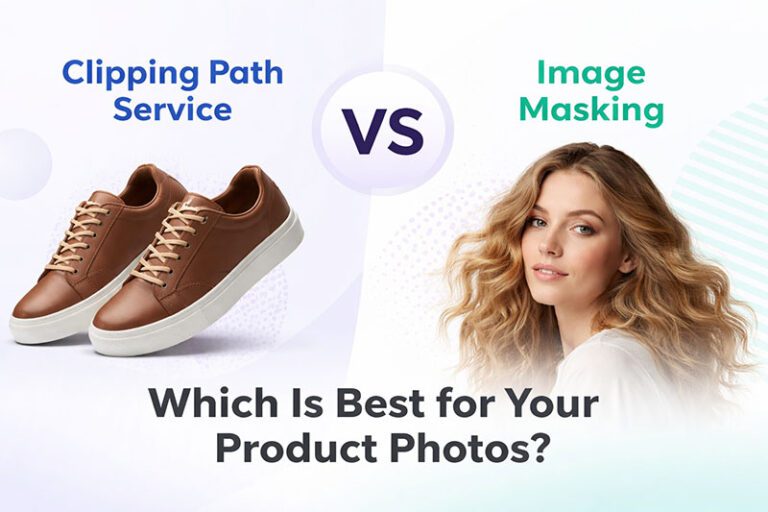
- Clipping path: best for solid, hard-edged products
- Layer masking: better for soft edges, hair, fur, and fabric
- Advanced masking: ideal for transparent or semi-transparent items
- Manual refinement: necessary for complex outlines and premium products
Fine-edge cleanup matters. Zoom to 200% or more before approving cutouts, especially for hero images.
Mistake 4: Ignoring Image Size, Speed, and SEO Optimization
A photo can be beautifully edited and still perform poorly if it is too heavy, poorly named, or not optimized for the web.
This is one of the most overlooked ecommerce photo editing mistakes.
What usually goes wrong
- exporting files that are far too large
- uploading images without compression
- using vague file names like
IMG_4588.jpg - skipping ALT text
- ignoring responsive image sizing
- using unoptimized formats for product pages
Google recommends using high-quality images that are easy to index and optimizing them for speed and page experience. Its PageSpeed documentation also highlights image optimization as a direct way to improve performance.
Why this hurts rankings and user experience
Heavy images slow your site. Slow pages frustrate shoppers, especially on mobile. Poor file naming and missing image context can also limit image search visibility.
This affects:
- page speed
- bounce rate
- mobile usability
- organic search visibility
- product page engagement
How to fix it
Treat image optimization as part of your editing workflow, not something extra.
Image optimization best practices
- resize images to the actual display needs of your store
- compress files before upload
- use modern formats where supported
- write descriptive file names
- add accurate ALT text
- keep image quality high without oversizing
Example of better file naming
Instead of:DSC00215.jpg
Use:black-leather-crossbody-bag-front-view.jpg
That small change helps both organization and SEO.
Mistake 5: Editing Without Platform Rules or Customer Expectations in Mind
Not every marketplace wants the same type of image. A major mistake in photo editing for online stores is using one style for every platform.
Why this creates problems
Different channels have different requirements:
- Amazon often expects strict compliance for main images
- Shopify stores allow more branding flexibility
- fashion stores may need ghost mannequin edits
- catalog pages may need uniform white backgrounds
- social ads may require more lifestyle-focused visuals
Shopify’s product photography guidance stresses the importance of product clarity, lighting, and presentation, while marketplace-specific image standards can directly affect visibility and approval.
Common examples
- using branded backgrounds where white backgrounds are required
- cropping too tightly for marketplace thumbnails
- editing shadows inconsistently for platform standards
- using unrealistic color corrections on apparel
- publishing lifestyle images where plain product images are needed first
How to fix it
Before editing, define the final use case for each image:
- marketplace listing
- ecommerce category page
- product detail page
- social media ad
- email campaign
- print catalog
Then edit accordingly.
Ask these questions before exporting
- Where will this image be used?
- What size and ratio does that platform prefer?
- Does the platform require a white background?
- Does the image need extra whitespace for cropping?
- Is this image optimized for desktop and mobile viewing?
This prevents rework and keeps your catalog compliant and conversion-ready.
Quick Checklist to Avoid Ecommerce Image Editing Errors
Use this checklist before publishing any product image:
- Does the product still look realistic?
- Are colors accurate to the real item?
- Are the background and shadows consistent?
- Are cutout edges clean and natural?
- Is the image cropped the same way as similar products?
- Is the file size optimized for web performance?
- Does the file name describe the product?
- Is the ALT text clear and relevant?
- Does the image match the platform’s requirements?
- Would this image make a new customer trust the product?
When to Outsource Professional Ecommerce Photo Editing
As your store grows, editing becomes harder to manage in-house. If you handle hundreds of SKUs, multiple product variants, or seasonal launches, quality can quickly become inconsistent.
Outsourcing makes sense when:
- your team is spending too much time on manual edits
- cutout quality is inconsistent
- product colors vary from listing to listing
- your catalog needs bulk processing
- you need fast turnaround for new launches
- your marketplace images must meet strict standards
A professional editing team can help standardize your catalog, improve speed, and reduce costly visual mistakes.
Final Thoughts on Ecommerce Photo Editing Mistakes
The most costly ecommerce photo editing mistakes are rarely dramatic. They are small errors that add up across your catalog: unnatural retouching, rough cutouts, inconsistent shadows, oversized files, and images that do not match platform expectations.
Fixing these issues can improve more than aesthetics. It can strengthen trust, support SEO, improve product page experience, and help turn more visitors into buyers.
Frequently Asked Questions
Find answers to commonly asked questions about our products and services.