How to Increase Ecommerce Conversion Rate: 15 Proven Strategies That Actually Work
If you want to know how to increase ecommerce conversion rate, the answer is not “get more traffic.” More traffic helps only if your store can turn visitors into buyers.
That is where conversion rate optimization matters. Ecommerce CRO is the process of improving the percentage of visitors who take a desired action, such as making a purchase, joining your email list, or adding a product to cart. Shopify defines ecommerce CRO as improving the percentage of website visitors who complete a desired action, usually by improving site design, user experience, and marketing strategy.
In this guide, you will learn practical ways to increase conversions by improving product pages, trust, checkout flow, site speed, and product images. These are the areas that most directly affect whether a visitor buys now, leaves, or comes back later.
What ecommerce conversion rate really means
Your ecommerce conversion rate is typically calculated as:
Conversions / total visitors or sessions × 100
So if 100 people visit your store and 3 make a purchase, your conversion rate is 3%.
Shopify notes that ecommerce conversion rate is often used for purchases, but it can also measure other goals such as email signups or loyalty program actions.
That matters because not every store has the same sales cycle. A luxury furniture store, for example, will convert differently from a low-cost accessories store. The goal is not to chase a random benchmark. The goal is to improve your store’s current baseline.
Why conversion rate matters more than traffic alone
A better conversion rate means you get more revenue from the same traffic, same ad spend, and same catalog. It improves efficiency across your SEO, paid ads, email marketing, and social campaigns.
It also reveals where your store is leaking money. Baymard reports that the global average cart abandonment rate is 70.19%, and its research shows checkout usability is often a major reason shoppers abandon the process.
So when you work on conversion rate, you are really fixing friction.
How to increase ecommerce conversion rate with a better user experience
1. Improve site speed
Slow pages kill momentum. A shopper clicks a product, waits too long, and leaves before they see the offer.
Google’s ecommerce guidance emphasizes that discoverability and performance matter, and its documentation highlights page experience, structure, and crawlability as part of a strong ecommerce foundation.
Focus on:
- compressing oversized images
- reducing unnecessary apps and scripts
- using properly sized product images
- simplifying page templates
- improving mobile load times first
For image-heavy stores, product photos are often one of the easiest wins.
2. Simplify navigation and search
Visitors should be able to find products without guessing. If your menu is confusing or site search is weak, shoppers lose patience quickly.
Improve navigation by:
- using clear category labels
- reducing menu clutter
- adding useful filters
- including search suggestions
- grouping related products logically
Google’s ecommerce documentation also recommends designing site structure and linking in ways that help users and search engines understand what is important on your site.
3. Design product pages for faster decisions
Your product page should answer the shopper’s main questions within seconds:
- What is this?
- Who is it for?
- Why is it worth the price?
- What does it look like clearly?
- What happens if I buy today?
Strong product pages include:
- clear product title
- benefit-led copy
- visible pricing
- shipping or return info
- multiple product photos
- reviews
- a clear add-to-cart button
Build trust before the customer hesitates
4. Add stronger social proof
Trust is one of the biggest conversion levers in ecommerce. A new visitor does not know your brand yet, so they look for signals that other people have bought and liked your products.
Use:
- customer reviews
- star ratings
- user-generated photos
- testimonials
- “best seller” or popularity indicators
- real customer counts where appropriate
Social proof works best when it appears close to buying decisions, not buried on a separate page.
5. Make policies easy to find
If shoppers have to hunt for your shipping, returns, or exchange details, some of them will leave.
Put your core trust elements near the product CTA:
- delivery estimates
- returns policy
- secure payment badges
- customer support access
- warranty or guarantee details
This reduces hesitation and helps shoppers feel safe moving forward.
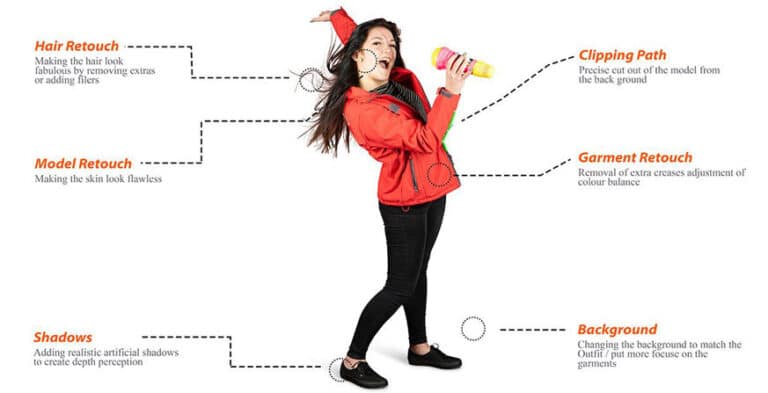
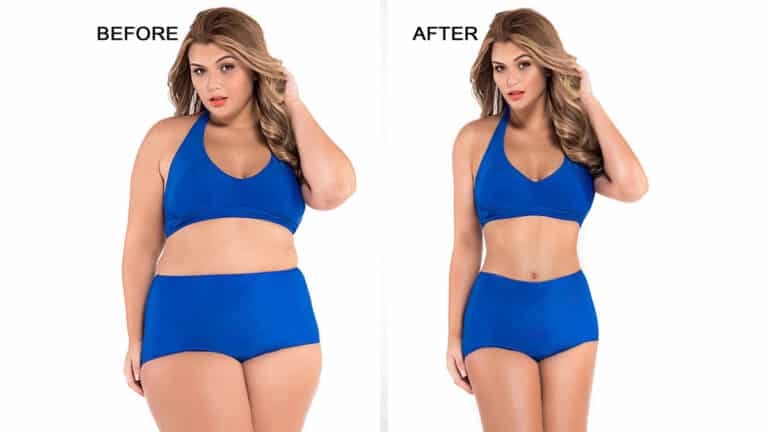
6. Use better product photos and editing
For many ecommerce stores, product images are one of the biggest reasons people buy or bounce. Visitors cannot touch the product, so the photos have to do that work.
Shopify’s conversion guide specifically includes high-quality product images as a CRO tactic.
Your images should:
- show the product clearly
- stay consistent across the catalog
- represent color accurately
- load quickly
- support zoom where helpful
- remove distracting backgrounds
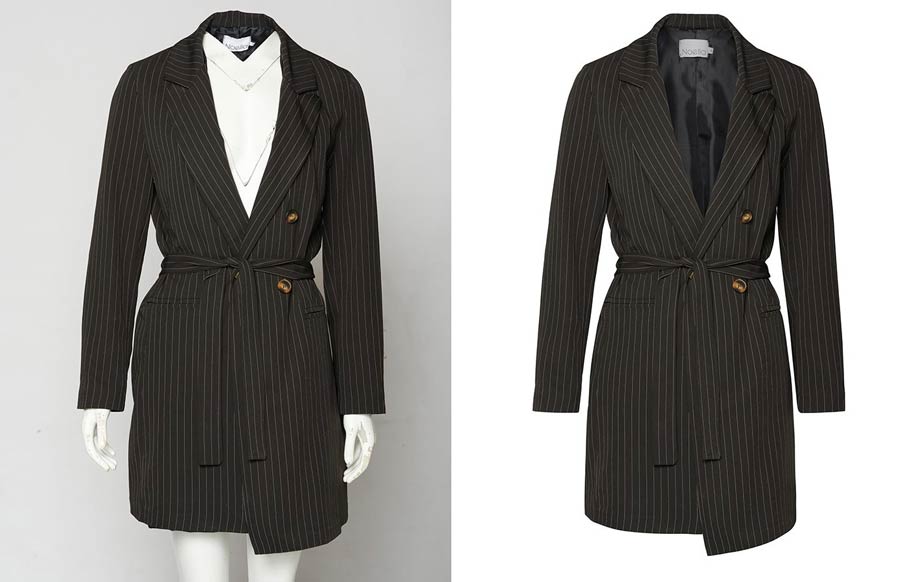
For apparel, ghost mannequin images can improve clarity and professionalism. For catalog consistency, clipping path and background cleanup can make product pages look more trustworthy and premium.
Remove friction from the buying journey
7. Fix your checkout flow
Checkout is where many stores lose ready-to-buy customers. Baymard’s research shows that checkout UX remains a major weak point across ecommerce, with 65% of sites performing “mediocre” or worse and the average large-scale site having many checkout improvements available.
To improve checkout:
- offer guest checkout
- ask only for necessary fields
- show progress clearly
- make coupon fields less distracting
- support multiple payment methods
- display total cost early
- remove surprise fees
A smoother checkout usually produces one of the fastest CRO wins.
8. Optimize for mobile shoppers
A large share of ecommerce browsing now happens on mobile, but many stores still design primarily for desktop behavior. That creates friction in product browsing, filtering, reading, and checkout.
For mobile optimization:
- keep buttons large and tappable
- use short paragraphs
- keep forms simple
- test image galleries on smaller screens
- make sticky add-to-cart buttons visible
- ensure popups do not interrupt browsing
Shopify also points to mobile optimization as a core part of a strong CRO strategy.
9. Reduce distractions and form friction
Every unnecessary popup, banner, animation, or form field creates another chance for the visitor to drop off.
Check whether you are overloading your pages with:
- too many announcements
- aggressive popups
- auto-playing media
- repeated trust badges
- overly long forms
- cluttered layouts
Good CRO is often about removing friction, not adding more elements.
Use data to improve conversion rate over time
10. Track the right metrics
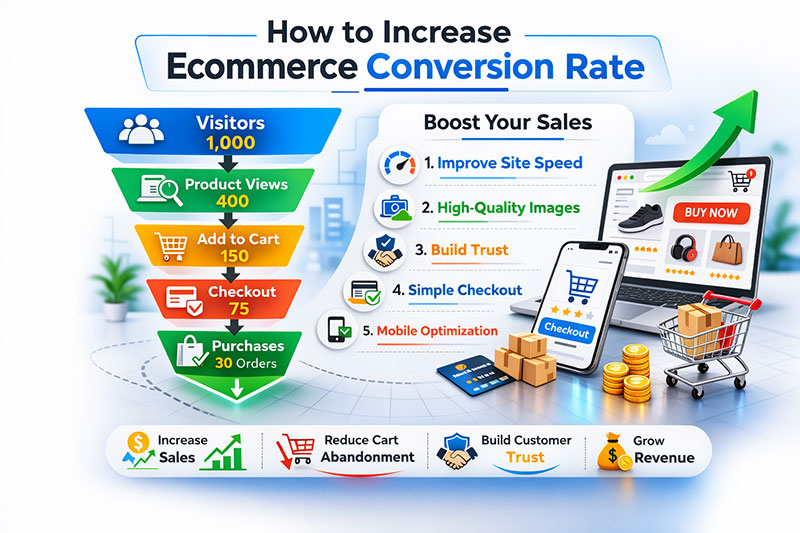
Do not look only at final purchase conversion rate. Also monitor:
- add-to-cart rate
- checkout initiation rate
- cart abandonment rate
- mobile vs desktop conversion
- product page exit rate
- revenue per visitor
These metrics help you find where the biggest drop-offs happen.
11. Run A/B tests the right way
Testing works best when you focus on high-impact pages and clear hypotheses.
Test things like:
- add-to-cart button text
- product image order
- trust badge placement
- shipping message wording
- review layout
- checkout page simplification
Avoid testing random color changes without a reason. Start with pages that already get traffic and a clear business outcome.
12. Personalize key moments
Personalization can increase relevance, especially on:
- homepage product recommendations
- cart upsells
- recently viewed items
- email follow-ups
- returning visitor offers
Use it carefully. Helpful personalization feels useful. Poor personalization feels pushy.
13. Recover abandoning visitors
Not every visitor will buy on the first session. That is normal.
Recovery tactics include:
- abandoned cart emails
- retargeting ads
- browse abandonment emails
- back-in-stock alerts
- first-order reminders
These work best when paired with a clear reason to return, such as trust, urgency, convenience, or product clarity.
14. Improve product descriptions and clarity
A weak product description creates doubt. A strong one removes objections.
Better descriptions should explain:
- who the product is for
- key materials or specifications
- dimensions and fit
- use cases
- care instructions
- what makes it different
Write for decisions, not just for search engines.
15. Keep updating what underperforms
CRO is not a one-time project. Google’s ecommerce best practices emphasize maintaining strong site structure, product data, and quality over time.
Review underperforming pages regularly:
- products with lots of visits but few sales
- pages with high bounce rates
- categories with weak mobile performance
- products with frequent returns or support questions
Usually, the best conversion opportunities are already on your site. They just need better execution.
A practical conversion rate checklist
Use this quick checklist to review your store:
| Area | Questions to Ask |
|---|---|
| Site speed | Do product and category pages load fast on mobile? |
| Navigation | Can shoppers find products in a few clicks? |
| Product pages | Are images, copy, price, and trust elements clear? |
| Product photos | Do images look professional, accurate, and consistent? |
| Checkout | Is guest checkout available and friction low? |
| Mobile UX | Are buttons, forms, and galleries easy to use? |
| Trust | Are reviews, returns, and support details visible? |
| Testing | Are you measuring changes and learning from them? |
Final thoughts
If you have been asking how to increase ecommerce conversion rate, the answer is usually not one magic tactic. It is a combination of better product pages, stronger trust, faster performance, better images, and less friction in checkout.
Start with the highest-impact areas:
- speed
- product page clarity
- product photography
- trust signals
- checkout usability
- mobile experience
Then measure what changes.
For stores that rely heavily on visuals, better product image editing can support conversion improvements by making products look clearer, more professional, and more trustworthy. When shoppers can understand your product faster, they are more likely to buy.
If you want help improving the visual side of CRO, Photo Fix Team can help you create cleaner, conversion-focused product images for ecommerce stores, marketplaces, and product catalogs.
Frequently Asked Questions
Find answers to commonly asked questions about our products and services.